

AiMOOC on aiMOOC.org
Introduction
aiMOOCs are Massive Open Online Courses (MOOCs) created by artificial intelligence (AI) through a GPT (a complex instruction) tailored to individual needs. The main components of an aiMOOC are texts, images, videos, open and interactive tasks, which are generated by AI, reviewed by experts, and published on an open-access cultural and educational wiki aiMOOC.org / MOOCit.de / MOOCwiki.org. The aiMOOC Education Network enables Adaptive Learning with Self-Differentiation and Multiple Differentiation, e.g. for Blended Learning or Flipped Classroom. These online learning courses are like worksheets – only better: individual, climate-friendly, free!
Welcome! In this aiMOOC you’ll learn how aiMOOC.org combines Wiki syntax, OER, and interactive elements to build learner-centered, scalable courses. You’ll design activities, align them with Bloom’s taxonomy, integrate Creative Commons media from Wikimedia Commons, and embed videos (e.g., YouTube). We'll connect evidence from MOOC research, show how Adaptive learning personalizes pathways, and how Flipped classroom and Blended learning scenarios turn aiMOOCs into powerful tools for the classroom. See also: AI MOOC example and aiMOOC GPT.
aiMOOC Foundations
What is an aiMOOC?
An aiMOOC is a modular, wiki-based course generated with AI (via a GPT instruction set), curated by humans, and published under open licenses. It integrates:
- Texts – concise, reliable explanations with many Links
- Images – openly licensed visuals from Wikimedia Commons
- Videos – embedded explanatory media (e.g., YouTube)
- Open tasks – creative, inquiry-driven challenges
- Interactive tasks – Quizzes, Memory, Drag-and-drop, Crossword puzzle
Why aiMOOC in schools?
aiMOOCs support Self-paced learning, Formative assessment, and Differentiated instruction in inclusive classrooms. They enable:
- Adaptive learning and Learning analytics to personalize content
- Blended learning with station rotation or flipped practice
- Universal Design for Learning with multiple means of engagement, representation, and action
- OER reuse/remix for sustainable, climate-friendly materials
Evidence base (MOOCs, Blended & Flipped)
Research on MOOCs highlights design factors like clear structure, active practice, and feedback. Blended learning combines online activities with classroom facilitation, while Flipped classroom moves direct instruction (e.g., video) outside class to free up class time for coaching and projects. Completion and engagement improve when tasks are meaningful, scaffolded, and supported by Formative assessment and Metacognition.
Design & Workflow
From Prompt to Published aiMOOC
- Instruction Blueprint – Draft a clear GPT prompt (topic, audience, outcomes, constraints).
- AI Generation – Produce sections, tasks, and media suggestions via the GPT.
- Expert Review – Check accuracy, pedagogy, accessibility, and neutrality.
- OER Integration – Add Wikipedia links, Wikimedia Commons images, and Creative Commons attributions.
- Interactive Layer – Insert Quiz, Memory game, Drag-and-drop, Crossword puzzle, and LearningApps embeds.
- Accessibility & Privacy – Apply WCAG-inspired practices (alt text, captions), and ensure Data privacy compliance.
- Publish & Iterate – Release on aiMOOC.org / MOOCit.de / MOOCwiki.org, collect feedback, and improve.
Learning Objectives & Alignment
Define measurable outcomes (aligned to Bloom’s taxonomy), for example:
- Remember/Understand – Define MOOC, OER, and Flipped classroom.
- Apply/Analyze – Map aiMOOC sections to UDL checkpoints; analyze a video’s learning value.
- Evaluate/Create – Curate CC-licensed media; author a mini aiMOOC segment.
Quality Assurance Checklist
- Accuracy – Facts verified (preferably via Wikipedia & scholarly sources).
- Pedagogy – Active learning, Formative assessment, feedback loops.
- Accessibility – Alt text, transcripts/captions, simple language.
- Inclusivity – Examples across cultures; gender-fair language.
- Licensing – Use Creative Commons; attribute correctly.
- Privacy – No unnecessary personal data; comply with policies.
Adaptive Pathways & Differentiation
Adaptive Learning in aiMOOCs
aiMOOCs can branch by readiness, interest, or pace:
- Self-Differentiation – Learners choose route (text-first, video-first, practice-first).
- Multiple Differentiation – Teacher assigns variants (basic, standard, advanced) or language levels.
- Feedback Loops – Short checks adjust the next task; learners reflect using Metacognition prompts.
Blended & Flipped Scenarios
- Before class – Watch a short video, skim an aiMOOC section, answer a formative Quiz.
- In class – Projects, Problem-based learning, tutoring, peer review.
- After class – Reflection journals, extension tasks, portfolio uploads.
Interactive Tasks
Quiz: Test Your Knowledge
What best describes an aiMOOC? (A wiki-structured MOOC generated with AI via a GPT and curated by experts) (!A closed, proprietary slideshow without hyperlinks) (!A live-only webinar with no materials) (!A printed worksheet scanned as a PDF)
Which licenses are recommended for aiMOOCs? (Creative Commons open licenses with correct attribution) (!All rights reserved, no reuse) (!Proprietary academic licenses only) (!Verbal permission without documentation)
What is the core idea of a Flipped classroom? (Learn content at home; practice and coaching in class) (!Longer lectures in class; no homework) (!Only group exams, no instruction) (!Teacher-centered drill throughout)
Adaptive learning primarily aims to… (Personalize content and pacing based on learner data and responses) (!Replace teachers with robots) (!Increase homework volume) (!Ban collaboration)
Which section ensures understanding beyond recall? (Learning control with transfer and application tasks) (!Only the Introduction) (!Media gallery) (!File list)
Which media sources fit aiMOOCs as OER? (Wikimedia Commons images and YouTube videos with open licenses) (!Random images without permission) (!Screenshots of paywalled content) (!Unattributed textbook scans)
A key accessibility step is… (Provide alt text, captions, and readable structure) (!Use images only, no text) (!Color-only distinctions) (!Auto-playing audio without controls)
Blended learning combines… (Online activities with in-person classroom methods) (!Only online, no classroom) (!Only classroom, no online) (!VR only)
The expert review in aiMOOCs focuses on… (Accuracy, pedagogy, accessibility, licensing, privacy) (!Marketing slogans) (!Increasing ad revenue) (!Locking content behind paywalls)
Good formative assessment in aiMOOCs uses… (Short checks with feedback that influence next steps) (!One final exam only) (!Hidden scores) (!Random grades)
Memory
| aiMOOC | Wiki-based AI-generated course |
| OER | Openly licensed learning materials |
| Flipped classroom | Content at home, practice in class |
| Adaptive learning | Personalized learning paths |
| Creative Commons | Reuse with attribution |
Drag and Drop
| Assign the correct terms | Topic |
|---|---|
| Search Term 1 | aiMOOC workflow: Prompt → AI generation → Expert review |
| Search Term 2 | OER licensing: BY, SA, NC, ND explained |
| Search Term 3 | Flipped sequence: Pre-class → In-class → Post-class |
| Search Term 4 | UDL checkpoints: engagement, representation, action |
| Search Term 5 | Formative loop: check → feedback → adjust |
Crossword Puzzle
| aiMOOC | AI generated wiki course format |
| Wikipedia | Open encyclopedia used for references |
| Gamification | Motivation through playful elements |
| Differentiation | Tailoring tasks to learner needs |
| Adaptivity | Dynamic adjustment of learning paths |
| Licensing | Legal framework for OER reuse |
LearningApps
Open Tasks
Easy
- Spot OER: Find three Wikimedia Commons images relevant to your topic; list titles and licenses; write one sentence on why each fits.
- Link it up: Add ten meaningful Links (internal/external) to a short article to improve context and navigation.
- Caption check: Pick a video and draft a 50–80 word summary; add alt text for a related image.
- Glossary mini: Define five key terms (MOOC, OER, UDL, Adaptive learning, Flipped classroom) in your own words.
Standard
- Design a micro aiMOOC: Create an outline (Intro → Interactive Tasks → Open Tasks → Learning control) for a 30‑minute lesson.
- Branching idea: Propose two adaptive branches (support vs. extension) for one concept; include entry conditions and exit criteria.
- UDL audit: Evaluate an aiMOOC section against UDL checkpoints; propose three concrete improvements.
- License doctor: Select two media files; write correct Creative Commons attributions and explain the chosen license.
Hard
- Flip a lesson: Convert a 45‑minute lecture into a Flipped classroom plan (pre/in/post). Provide materials and in‑class tasks.
- Data & privacy plan: Draft a one‑page plan describing what learner data is collected, why, storage duration, and how consent is handled.
- Assessment redesign: Replace a recall-heavy test with performance tasks and rubrics aligned to Bloom’s taxonomy.
- Full aiMOOC build: Produce a complete aiMOOC (≥ 4 sections, 10‑item quiz, memory, drag‑and‑drop, crossword, 12 open tasks, 5 learning control tasks).


Learning control
- Transfer: Given a new topic (e.g., Sustainable energy), outline how you would adapt aiMOOC structure to it and justify each section.
- Comparison: Contrast Blended learning vs. Flipped classroom for your subject; argue which suits your learners and why.
- Evidence-informed: Choose one design choice (e.g., short videos) and justify it using research-informed reasoning.
- Ethics & privacy: Identify risks when using AI-generated content and propose mitigation strategies (bias, accuracy, consent).
- Accessibility by design: Redesign one activity to meet accessibility needs (screen reader, captions, color contrast) and explain the changes.
OERs on the Topic
Media


Links
Share - Discuss
Schulfach+

|
|
















aiMOOCs



aiMOOC Projekte
















|
|




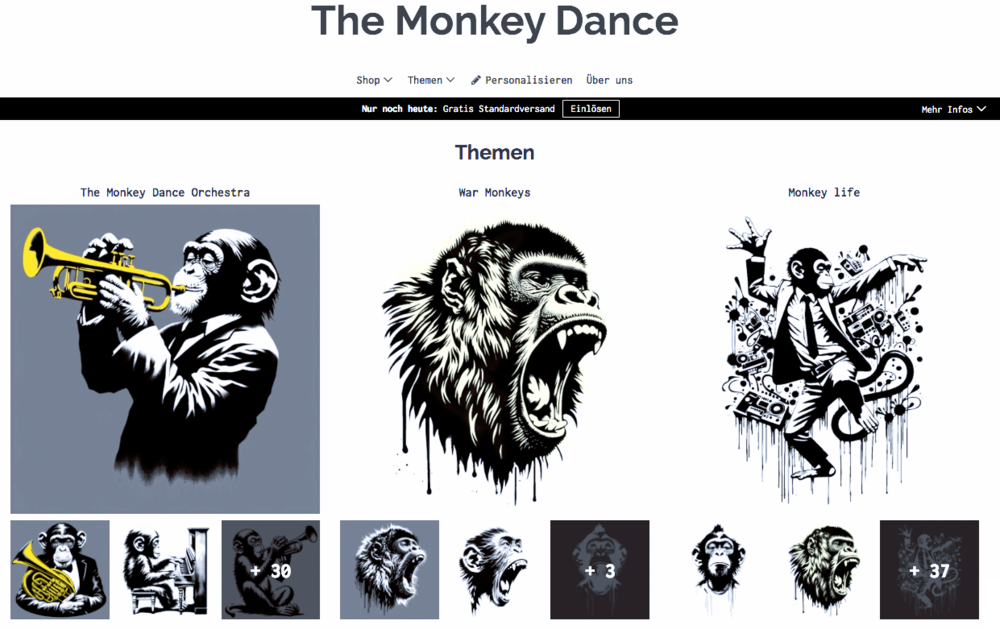
YouTube Music: THE MONKEY DANCE
Spotify: THE MONKEY DANCE
Apple Music: THE MONKEY DANCE

Amazon Music: THE MONKEY DANCE

The Monkey Dance SpreadShirtShop
|
|
|


|
 |


Children for a better world >> Förderung der AI Fair-Image Challenge
Fair-Image wird von CHILDREN JUGEND HILFT! gefördert und ist mit der deutschlandweiten AI Fair-Image Challenge SIEGERPROJEKT 2025. Alle Infos zur Challenge hier >>. Infos zum Camp25 gibt es hier. Wenn auch Ihr Euch ehrenamtlich engagiert und noch finanzielle Unterstützung für Eurer Projekt braucht, dann stellt gerne einen Antrag bei JUGEND HILFT.
